
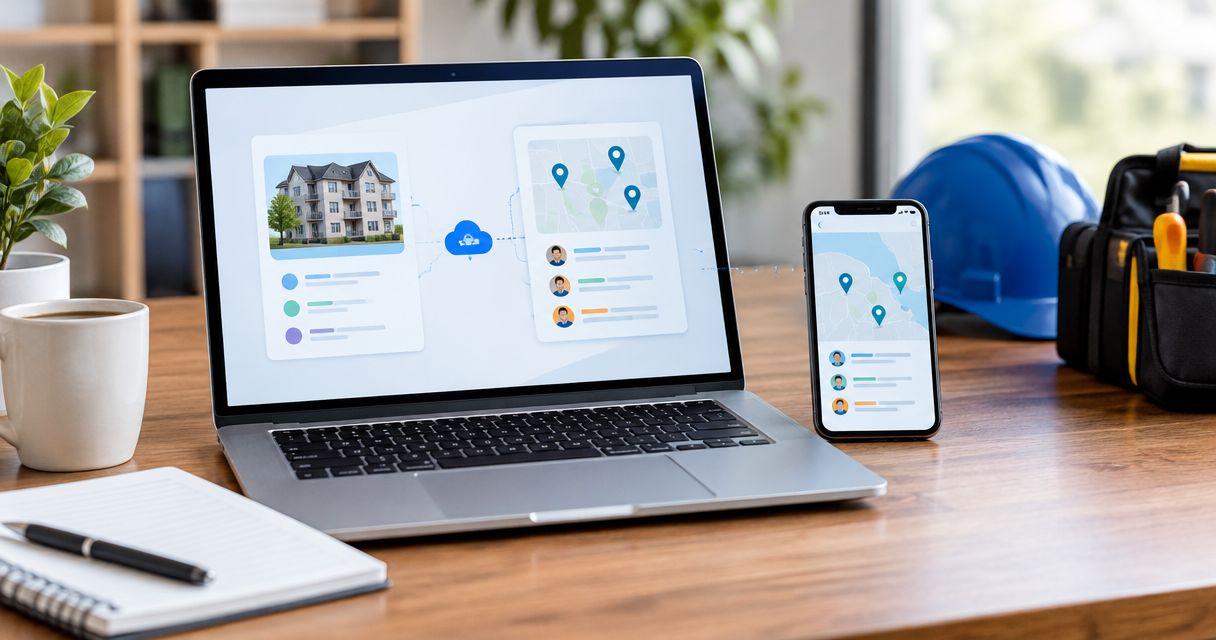
Instead of manually copying urgent maintenance tickets into restoration messages, connect your property management software to a screened dispatch workflow that sends incident details and records acknowledgment. Build the connection around approved communication channels, a unique incident ID, and a human escalation path, not an assumption that sending a message dispatches a crew.
- For property management software restoration dispatch in 2026, connect incident screening, approved notifications, acknowledgment, and escalation.
- Phoenix Restoration Group is best for Central Iowa property managers needing 24/7 emergency restoration, not a software connector.
- Confirm the restoration provider’s accepted intake channel before configuring work order automation.
- Keep notification delivery, provider acknowledgment, and confirmed dispatch separate in your maintenance workflow.
Why this matters
A maintenance ticket describes a problem. A dispatch workflow must also identify the location, responsible contact, access restrictions, and required next action. Without those details, automation moves incomplete information faster.
Phoenix Restoration Group provides water, fire, mold, and biohazard restoration services across Carlisle, Des Moines, and Central Iowa. Emergency restoration is available 24/7. Free inspections for all services are available during business hours, 8am to 4:30pm; that inspection schedule is separate from emergency service.
A successful connection proves that someone accepted the incident, not merely that your software sent it. Keep that distinction in your 2026 workflow specification and every test that follows.
Before you start
- System access: Obtain permission to configure work order events, outbound notifications, and incident updates. Check your software documentation for supported automation methods and authentication requirements.
- Provider agreement: Confirm the accepted intake channel, required incident details, acknowledgment procedure, and emergency fallback with your restoration provider. Do not assume that Phoenix Restoration Group accepts automated dispatch requests or offers a software integration.
- Duplicate protection: Plan for repeated events before enabling the connection. A ticket edit or retried delivery must not create another restoration request for the same incident.
The field names below are a proposed internal specification, not verbatim controls from a particular application. Map them to documented fields and settings in your software. Keep the provider’s requirements separate from your internal naming conventions.
Connection method selection
Choose the method both ends support. A technically successful connection to an unmonitored destination is not an operational handoff.
| Method | Best for | Benefit | Limitation |
|---|---|---|---|
| Native integration | Systems with a documented, mutually supported connection | Keeps configuration inside supported applications | Requires support for the exact incident and status workflow |
| API or webhook connection | Teams with technical ownership and documented endpoints | Allows explicit field mapping and acknowledgment handling | Requires authentication, error handling, and maintenance |
| Approved email intake | Providers that explicitly accept incident requests by email | Uses an agreed message format without a custom receiving endpoint | Delivery alone does not prove acceptance or dispatch |
| Human-reviewed notification | Teams without an approved machine-to-machine intake route | Preserves a responsible person at the handoff | Requires an assigned responder and coverage plan |
Use human-reviewed notifications until the receiving provider approves automated intake. Do not substitute a public contact form for a documented integration endpoint.
Incident trigger configuration
Define the qualifying work order
- Identify the documented event your software exposes, such as work order creation or an eligible status change. Use only an event supported by your application.
- Define the incident categories that enter the restoration workflow: water, fire, mold, or biohazard. Keep unrelated maintenance outside this route.
- Require an explicit review or authorization state before sending a restoration request. Do not treat every tenant description containing the word water as an emergency.
- Exclude test records, canceled requests, and incidents already accepted by the provider.
- Assign an internal incident ID and retain the original work order reference throughout the workflow.
Expected result: A qualifying work order enters the restoration queue with an identifiable owner. Ordinary maintenance and previously accepted incidents stay out.
Set the safety boundary
Restoration automation is not emergency-services triage. If there is immediate danger, occupants must follow the property’s emergency procedures and contact emergency services as appropriate. Do not make an automated restoration message a prerequisite for taking protective action.
Write the emergency fallback into your 2026 operating procedure. Name the role that handles an urgent incident when the connection fails or nobody acknowledges it. Assign coverage outside office hours rather than leaving an unowned notification queue.
Incident record configuration
Map the handoff fields
- Map the work order reference to Incident ID. Keep this identifier stable when the ticket changes.
- Map the street address and unit or affected area to Property location. Verify that unit identifiers survive the transfer.
- Map the reported damage category and factual description to Incident details. Distinguish tenant-reported information from observations confirmed by staff.
- Map the responsible manager’s name and approved callback details to Site contact. Include an alternate responsible role where your process requires one.
- Map entry restrictions and the authorized access procedure to Access instructions. Keep credentials out of broadly distributed messages.
- Map the manager’s authorization state to Authorization status. A request for assessment must not silently become approval for an unspecified scope of work.
Expected result: The receiving person can identify the property, understand the reported incident, and contact someone authorized to coordinate the next action.
Keep sensitive tenant information out of the dispatch summary unless it is necessary and authorized. Biohazard descriptions deserve particular care: describe the affected location and reported condition without copying unrelated medical or personal records.
Validate before sending
Reject incomplete records into an internal exception queue rather than sending partial requests. Missing unit details, an unusable callback number, or an unclear address should produce a visible task for the responsible manager.
Use fictional records during testing. A test that includes real access credentials creates an unnecessary exposure even when no restoration request is sent.
Dispatch handoff configuration
Separate transmission from acceptance
- Send the mapped incident through the channel the provider approved. Use the documented authentication method if a supported technical endpoint exists.
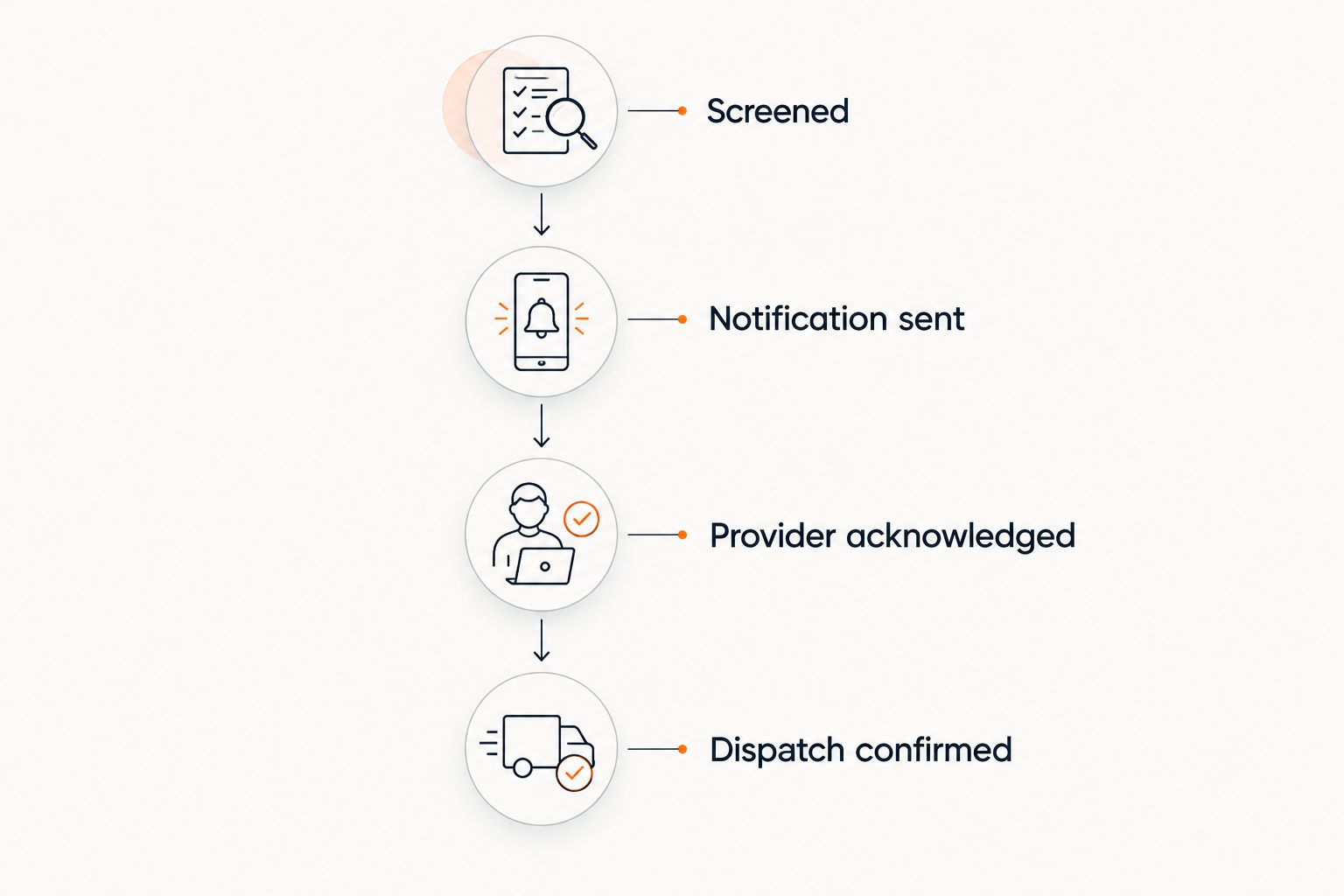
- Record the transmission outcome against the incident ID. Mark a successful send as Notification sent, not confirmed dispatch.
- Record the provider’s acknowledgment separately as Provider acknowledged. Use the evidence your agreed process supplies, whether that is an accepted system event or a documented human response.
- Record dispatch only after explicit confirmation. Preserve the confirming message or reference rather than inferring dispatch from delivery.
- Route failed transmissions and unacknowledged requests to the responsible manager through the agreed fallback procedure.
Expected result: Your work order distinguishes a sent message from an accepted request and a confirmed dispatch. No tenant-facing update promises an arrival time that the provider has not supplied.
Use a simple status sequence in your internal record: Screened, Notification sent, Provider acknowledged, Dispatch confirmed. Keep exceptions visible outside that sequence rather than advancing the status to hide an error.
Protect retries and test the handoff
- Associate every outbound request and retry with the same incident ID. Where the receiving system supports duplicate protection, follow its documented requirements.
- Prevent an accepted incident from triggering another initial request when someone adds a note or attachment.
- Test a complete record, an incomplete record, a repeated event, and a failed delivery. Confirm that each follows the intended route.
- Obtain permission before testing any live provider channel. Clearly identify test messages and confirm that they will not initiate an actual response.
- Have the responsible manager verify the resulting incident history before enabling production events.
Expected result: Your 2026 acceptance test demonstrates both successful handoffs and visible failures. It does not merely show that the automation can send a message.
Send updates when an incident changes
Use a separate update workflow for an incident the provider has already acknowledged. This is best for revised access instructions, corrected locations, or newly reported damage associated with the same event.
- Trigger on an eligible update to an existing incident, not on every saved edit.
- Confirm that the incident already has a provider acknowledgment or accepted reference.
- Compare the changed fields against an approved list of operational updates. Suppress formatting edits and internal notes.
- Send only the relevant changes through the agreed update channel, retaining the original incident ID.
- Record the update outcome without resetting the incident to a new dispatch request.
Expected result: The provider receives a correction attached to the existing incident rather than a duplicate job request.
Status updates need their own boundary. A property manager marking a maintenance task complete is not proof that restoration work is complete. Require the appropriate confirmation before sending a completion notice to the owner or occupant.
Troubleshooting
Duplicate restoration requests
Fix: Inspect which events trigger the initial request. Restrict that route to eligible, unsent incidents and retain a dispatch-request marker against the incident ID. Send later changes through the update workflow.
Do not solve duplicates by deleting incident history. Preserve the record so the manager can identify which request the provider accepted.
Successful send with no acknowledgment
Fix: Verify that the destination is an approved intake channel, then use the agreed escalation route. A delivery receipt proves transport, not that a responsible person accepted the incident.
Pause automated dispatch assumptions until the handoff is confirmed. Keep urgent incidents assigned to a person rather than repeatedly sending messages without review.
Wrong unit or missing contact
Fix: Compare the source record with the outbound payload. Repair the field mapping and add validation that stops incomplete incident records before transmission.
Retest the corrected mapping with fictional information. Check both the initial request and subsequent updates because they can use different configurations.
Integration stops after an account change
Fix: Check authentication, permissions, destination settings, and recent configuration changes. Reauthorize only through your software’s documented process and verify a controlled test before resuming.
When assigning implementation work, assess AI automation agencies for property management against the same operational requirements: documented permissions, duplicate protection, failure alerts, and a named owner. An implementation handoff is incomplete if nobody on your team can identify or stop a failed workflow.
Customize your workflow
Expand routing only after the basic handoff works. Separate residential and commercial locations when they need different site contacts or authorization procedures. Keep the incident record consistent so the person responding does not have to interpret a different message structure for each property.
For Phoenix Restoration Group restoration requests, confirm the intake process directly before activating automation. The team keeps property owners informed from assessment through cleanup. Do not translate that communication commitment into an unsupported promise of automated status feeds.
Use the property work order to restoration dispatch workflow to organize the operational handoff alongside your technical configuration. Document who approves the request, who confirms acceptance, and who communicates with occupants.
Review your 2026 workflow whenever the provider’s intake process, your property software, or the responsible staff changes. Keep a manual route available while configuration changes are being verified.
FAQ
How do I connect property management software to restoration dispatch?
Connect an eligible work order event to an approved intake channel, map the incident details, and record provider acknowledgment separately from message delivery. Add duplicate protection and a human escalation path before enabling live requests.
Does Phoenix Restoration Group have a native property management integration?
Confirm supported intake methods directly with Phoenix Restoration Group before configuring a connection. This guide describes a workflow specification, not a documented native integration or API.
Can an automated email dispatch a restoration crew?
An automated email does not by itself confirm crew dispatch. Use email intake only when the provider accepts it, and record explicit acknowledgment and dispatch confirmation through the agreed process.
What information should a restoration dispatch request include?
Include a stable incident ID, property and unit location, reported damage, responsible contact, access instructions, and authorization status. Share only information necessary for the handoff and restrict sensitive access details.
How do I prevent duplicate restoration requests?
Use a stable incident ID and stop the initial-request workflow after the request has been accepted. Route later operational changes through a separate update workflow tied to the existing incident.
Is emergency restoration limited to inspection hours?
Phoenix Restoration Group provides 24/7 emergency restoration. Free inspections for all services are available during business hours, 8am to 4:30pm; those hours do not define emergency service availability.
What should happen when the dispatch connection fails?
Assign the incident to the responsible manager and use the provider’s agreed fallback channel. Keep the incident unconfirmed until someone verifies acceptance, and do not promise an arrival time based on a failed or unanswered notification.
One last thing
Test the failure route before trusting the successful route. A missing acknowledgment is the point where an apparently working automation becomes an unattended incident. Make the responsible person, fallback channel, and unresolved status visible in the same incident record.