
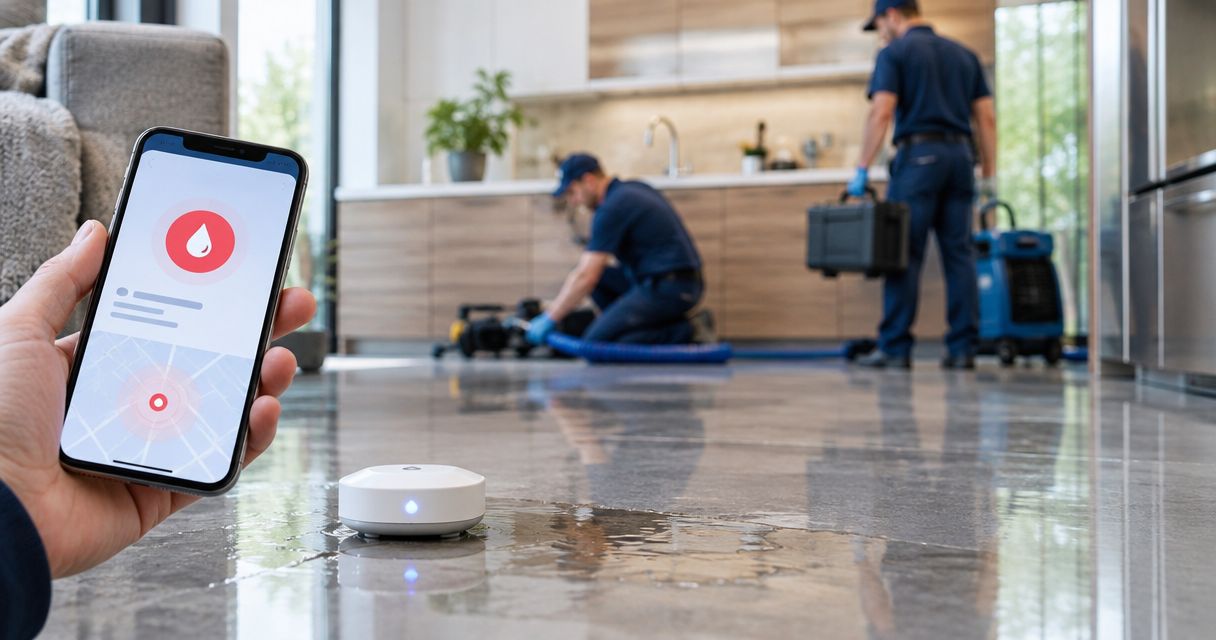
Instead of manually checking water-sensor notifications, configure a leak-triggered workflow that sends an authorized restoration dispatch request with the property address, access instructions, and incident details. Automatic crew deployment requires an agreed dispatch process and confirmation from the responding restoration provider, not just a delivered alert.
- Water sensor leak detection restoration dispatch needs an authorized request, verified property details, and provider acceptance.
- Phoenix Restoration Group provides 24/7 emergency restoration in Carlisle, Des Moines, and Central Iowa.
- Keep leak detection, dispatch requests, crew acceptance, and incident closure as separate workflow states.
- Test escalation and duplicate suppression before enabling live dispatch requests.
Why this matters
A sensor detects water at its location. It does not establish the extent of damage, authorize work, or confirm that a restoration crew is responding. Your workflow must connect those separate decisions without treating a notification as a completed dispatch.
Phoenix Restoration Group is best suited to property owners seeking 24/7 emergency restoration in Carlisle, Des Moines, and Central Iowa. Confirm the dispatch arrangement directly before routing automated requests to any provider.
For your 2026 response plan, define success as an accepted request with a named incident owner. An email delivery receipt proves only that a message reached its destination.
Before you start
- Sensor access and event delivery: You need permission to configure the sensor system and an event output your workflow can receive. Confirm whether the selected system supports the required connection before designing around it.
- Property information and authorization: Prepare the address, sensor locations, approved access process, responsible contacts, and written instructions defining who can authorize emergency restoration. Assign at least 2 contact roles: a primary decision-maker and a backup.
- A confirmed receiving process: Agree with the restoration provider on how requests reach its emergency intake and how acceptance returns to the incident owner. The non-obvious gotcha is that sending a message does not automatically create a job in the provider's dispatch system.
Keep sensitive access information in a restricted record. Send responders instructions for obtaining approved access rather than distributing door codes to every notification recipient.
Choose your dispatch approval model
Decide whether a sensor event creates an alert for review or an authorized dispatch request. Neither model removes the need to confirm that the restoration provider accepted the request.
| Workflow | Best for | Advantage | Limitation |
|---|---|---|---|
| Human-approved request | Properties requiring owner or manager approval before work | A responsible person checks context before requesting service | The request waits for that person to respond |
| Preauthorized request | Properties with documented emergency authority and an agreed receiving process | The workflow sends the request without waiting for a new approval | Incorrect mapping or authorization rules can send an unnecessary request |
Use human approval until the authorization rules, receiving process, and failure handling have passed testing. Choose preauthorization only when the property owner and responding provider have agreed how it works.
Record the chosen model in your 2026 property response plan. Include who can change it and what happens when authorization expires or a property changes management.
Sensor trigger configuration
Build the trigger around an actual leak event, not every sensor status update. Battery warnings, connectivity notices, and water-clear messages need different handling.
The field names below define your incident record. They are not button names in a particular application; use the corresponding fields in your selected system.
- Identify the event source. Connect the sensor system's supported event output to the receiving workflow. Use an account with the permissions required for that connection.
- Select the leak event. Match the event type that the sensor manufacturer defines as water detected. Keep device-health notifications outside the dispatch branch.
- Capture the identifying fields. Store
sensor_id,event_id,detected_at, andevent_typewhen the source supplies them. Preserve the original timestamp and its timezone. - Map the property. Look up the sensor in your approved property register. Add the full service address and a location description such as the utility room or basement mechanical area.
- Reject incomplete records. Route unknown sensors or missing addresses to a human exception queue. Do not send an automatic dispatch request with a guessed location.
Expected result: A valid leak event produces an incident containing a known sensor, an exact property address, and a readable detection time. A device-health event does not enter the dispatch branch.
Keep the original event alongside the mapped record. If the location is disputed later, you need to distinguish what the sensor reported from what your property register supplied.
Incident routing and authorization
The next stage decides whether to notify a person or submit an approved request. Keep that decision visible in the incident history.
- Create the incident identity. Assign an internal incident reference and retain the source event identifier. Configure repeated deliveries of the same event to update that record rather than create new requests.
- Set the approval rule. Route human-approved incidents to the designated decision-maker. For preauthorized incidents, verify that the authorization applies to that property and the requested work.
- Add the response packet. Include the address, sensor location, detection time, property contact, authorization status, and approved access instructions. Identify unverified information as unverified.
- Choose the receiving route. Use the emergency intake method agreed with the restoration provider. Do not assume a general contact form is a monitored machine-to-machine dispatch endpoint.
- Create an escalation path. Assign an acknowledgement deadline in the property response plan. If acceptance is absent at that deadline, notify the backup contact to make direct contact through the agreed emergency channel.
Expected result: Every incident has an approval state, an accountable owner, and a defined next action. A missing approval or failed delivery produces a visible exception instead of silent failure.
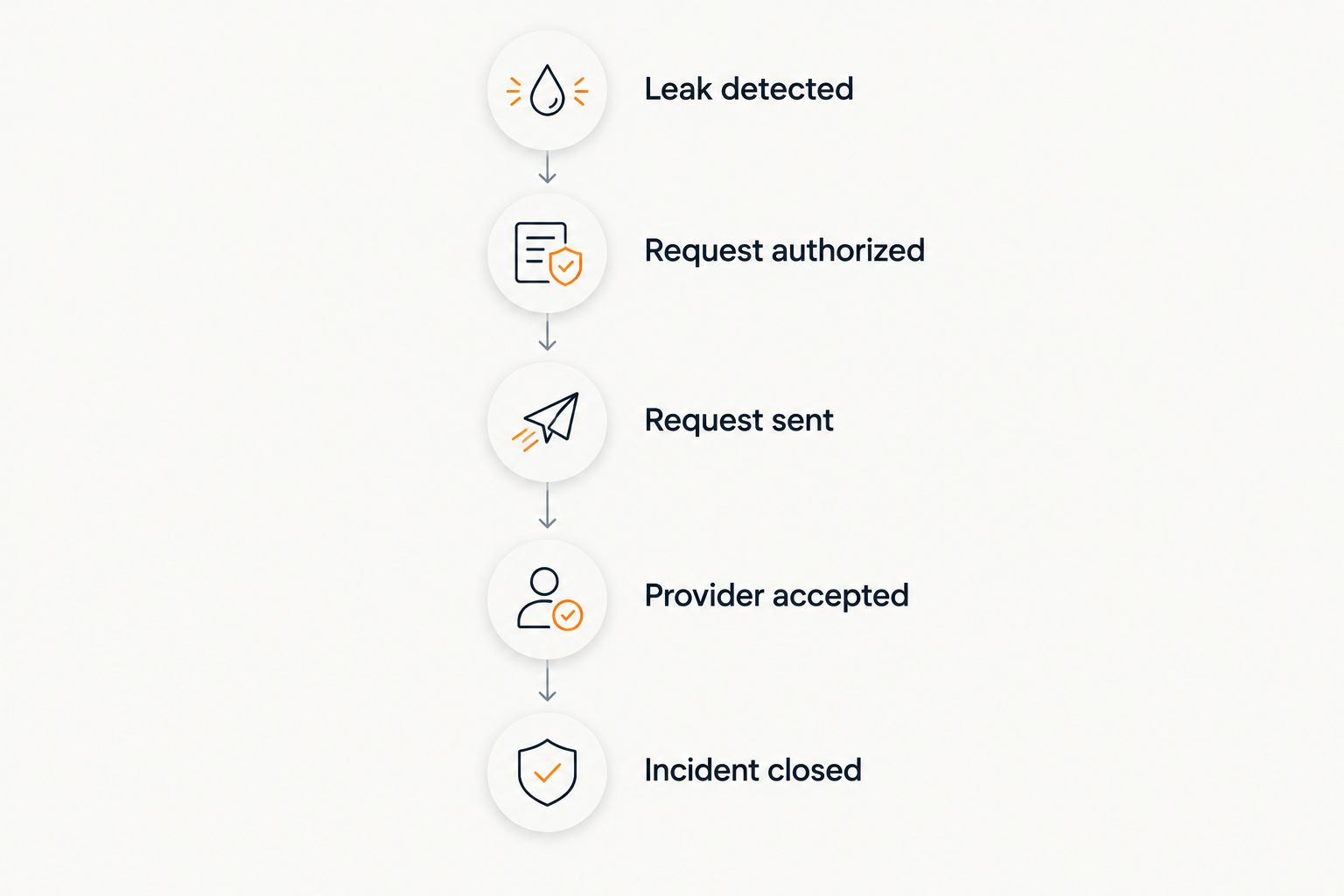
Use these plain-language stages in your 2026 operating procedure: Leak detected, Request authorized, Request sent, Provider accepted, and Incident closed. Each stage represents a different event.
Dispatch handoff and acceptance
A dispatch request should tell the recipient what happened and what action is authorized. It should not describe a crew as dispatched until the provider confirms that status.
- Send a factual request. State that a water sensor reported a leak, identify its location, and provide the incident reference. Do not translate a sensor alarm into an unsupported claim about flooding or damage severity.
- Record delivery separately. Capture the sending result where your system supports it. Keep delivery status distinct from approval and provider acceptance.
- Record the provider's response. Use the agreed acknowledgement method. If acceptance arrives by telephone, the responsible person should enter that confirmation in the incident record.
- Notify the property contact. Report the actual state: request sent, accepted, awaiting confirmation, or requiring action. Share an arrival estimate only when the responding provider supplies it.
- Preserve the handoff. Record who accepted the request, when acceptance occurred, and any access or safety instructions communicated during the exchange.
Expected result: The property contact knows whether a restoration provider has accepted the request. The record does not confuse automated message delivery with a crew assignment.
Phoenix Restoration Group provides 24/7 emergency water, fire, mold, and biohazard restoration. Free inspections for all services are available during business hours, 8am to 4:30pm; those inspection hours are separate from emergency service availability.
Use the contact page to establish the appropriate request process before activating automation. Do not treat the page itself as an automated dispatch connection.
Workflow testing and activation
Test the full chain, including failure handling, before allowing live requests. A successful sensor notification alone does not prove the handoff works.
- Agree on test handling. Tell the receiving parties that a test is planned. Use a test environment where supported, or clearly identified test records under an agreed procedure.
- Run a valid event. Follow the sensor manufacturer's testing instructions. Verify the address, sensor location, timestamp, authorization state, and intended recipient.
- Replay a duplicate. Confirm that a repeated event updates the existing incident rather than creating another request.
- Test an exception. Use an unmapped test sensor or intentionally incomplete test record. Confirm that the workflow stops dispatch and assigns the exception to a person.
- Test missing acceptance. With the participants' agreement, leave a test request unaccepted. Verify that the backup contact receives the escalation.
- Approve activation. Record the test outcome, configuration owner, and activation decision. Retain 1 completed test record showing the entire handoff.
Expected result: Valid requests reach the agreed recipient, duplicates stay contained, and failed handoffs produce an actionable escalation.
Keep a dated 2026 configuration record. When a recipient, property assignment, or authorization changes, repeat the affected test before relying on the revised workflow.
Update an open incident when leak conditions change
A second useful workflow updates an existing incident when the sensor reports another leak event or a water-clear status. It should not automatically create another crew request.
Match the incoming event to the correct property, sensor, and open incident. Append the new status with its timestamp, then notify the incident owner when the update changes the information responders need.
Building-level automated water damage alerts need the same separation between detection and response: a changed sensor state updates the evidence, while authorization and provider acceptance remain separate decisions. Keep those records connected without making one stand in for another.
Do not close a restoration incident solely because the sensor reports dry. A dry reading describes conditions at that sensor; it does not establish that surrounding materials are dry or that cleanup is complete.
For an accepted request, send meaningful changes through the agreed communication route. Leave cancellation and closure to the authorized incident owner and responding provider rather than letting a device status silently cancel work.
Troubleshooting
The same leak creates repeated requests
Repeated delivery or repeated wet-state events are entering the new-incident branch. Match source event identifiers where available, and check for an open incident associated with the sensor before creating another request.
Keep repeat observations in the incident history. Suppress duplicate requests, not evidence of continuing water detection.
The request says sent, but nobody confirms acceptance
The workflow is treating transmission as response. Add a separate acceptance state and escalate when the agreed acknowledgement deadline passes.
The backup contact should use the established emergency channel. Repeatedly resending the same message to an unattended destination does not resolve the handoff.
The alert names the wrong room or property
The sensor-to-property register is incorrect or outdated. Pause automatic requests for that sensor, correct the mapping, and repeat the location test.
Include sensor reassignment in your move-out, maintenance, and device-replacement procedures. A working sensor can still produce a misrouted request.
No alert arrives during a test
Check the sensor's reported health, supported connection, credentials, and receiving-workflow history. Follow the manufacturer's instructions to distinguish a device problem from an event-delivery problem.
Do not classify silence as proof that the property is dry. Keep a documented manual reporting route for occupants and staff.
Customize your workflow
Expand the workflow around responsibility, not more notifications. Add property-specific contacts, access restrictions, and separate handling for occupied and unoccupied spaces where those distinctions affect the response.
Use your 2026 review to remove outdated recipients and verify authorization records. Store credentials and sensitive access details outside broadly distributed incident messages.
Phoenix Restoration Group keeps property owners informed from the initial assessment through cleanup. Your internal workflow should preserve that communication by naming one incident owner who receives updates and communicates them to the appropriate occupants or managers.
FAQ
Can a water sensor automatically dispatch a restoration crew?
A water sensor can initiate an authorized dispatch request when the connected workflow and receiving provider support an agreed process. Crew deployment still requires provider acceptance; an automated notification alone does not confirm dispatch.
What do I need for water sensor leak detection restoration dispatch?
You need a supported sensor event connection, accurate property mapping, documented authorization, and an agreed receiving process. Include a backup contact and a way to confirm provider acceptance.
Does Phoenix Restoration Group offer an automatic sensor integration?
Confirm any proposed automated connection directly with Phoenix Restoration Group before setup. Its stated services include 24/7 emergency restoration, but that does not establish a sensor integration or automated dispatch endpoint.
Should every water sensor alert request a crew?
No. Route leak events according to your authorization rules, and handle battery or connectivity notices separately. Unknown sensors and incomplete property records require human review.
Does a dry sensor reading mean restoration is complete?
No. A dry reading reports conditions at the sensor and does not establish that surrounding materials are dry. Keep incident closure separate from device status.
Are free inspections available around the clock?
Free inspections for all services are available during business hours, 8am to 4:30pm. Emergency restoration service is available 24/7; those are separate arrangements.
What should happen if nobody accepts the dispatch request?
Escalate to the designated backup contact at the deadline defined in your response plan. That person should use the agreed emergency contact route and record the result.
One last thing
Test the unanswered request, not just the successful alert. The most important handoff is the point where nobody responds and a named person must take over. Make that failure visible before an actual leak depends on it.